⚠️ This is an independent comparison. We are not affiliated with Oray (Sunflower) or AnyFluent (ToDesk).
Quick Summary
| Category | Winner | Why |
|---|---|---|
| Free tier | ToDesk | Unattended access included for free |
| Paid pricing | Sunflower Control | Lower cost per feature |
| Reliability | Sunflower Control | Mature infrastructure, fewer outages |
| Interface | ToDesk | More modern, cleaner design |
| Feature depth | Sunflower Control | More advanced options |
| Asia connectivity | Tie | Both have China-based servers |
| Track record | Sunflower Control | Since 2009 vs since 2020 |
Background: Two Chinese Remote Access Tools
Both Sunflower Control and ToDesk are developed by Chinese companies targeting the Chinese market. This means both have local servers inside China, Chinese language support, and reliable connectivity that international tools like TeamViewer and AnyDesk can’t match from within China.
- Sunflower Control (向日葵远程控制) — Developed by Oray, launched in 2009. The older, more established tool with a large user base and mature infrastructure.
- ToDesk — Developed by AnyFluent, launched around 2020. The newer challenger with a modern interface and aggressive free tier to attract users.
Pricing Comparison
ToDesk Pricing (2026)
| Plan | Price | Key Features |
|---|---|---|
| Free | $0 | Unattended access, file transfer, screen sharing, ads, peak-hour limits |
| Professional | ~$3/month | No ads, no time limits, faster connections |
| Enterprise | Custom pricing | Team management, custom branding, priority support |
Sunflower Control Pricing (2026)
| Plan | Price | Key Features |
|---|---|---|
| Free | $0 | 200 KB/s file transfer cap, ads, 1 simultaneous connection |
| Basic | ~$3/month | Unlimited speed, no ads, 3 connections |
| Pro | ~$6/month | All features, 5 connections, remote printing, priority support |
The biggest pricing difference is on the free tier: ToDesk gives you unattended access for free, while Sunflower Control requires a paid plan for this feature. For users who only need basic remote access without paying, ToDesk’s free tier is significantly more generous and makes it the best starting point for budget-conscious users.
However, it’s worth noting that ToDesk’s free tier has some limitations that aren’t immediately obvious:
- Peak-hour queue times — During busy periods (6pm-11pm), free users may wait in a queue before connecting
- Session time limits — Extended sessions on the free tier may be disconnected during peak hours
- Ads — The free version displays advertisements within the application
- Limited support — Free users get community support only, no priority assistance
Sunflower Control’s free tier, while more restricted on paper (200 KB/s file transfer cap, no unattended access), doesn’t have queue times or session limits. You can stay connected as long as you want on the free plan — you just can’t transfer files quickly or access your PC unattended.
I started with ToDesk’s free tier specifically because it included unattended access — I needed to access my office PC after hours and didn’t want to pay for that feature. When my usage grew beyond casual needs, I found that Sunflower Control’s paid plans offered better value for multi-device management, even though the free tier is more restricted. Honestly, if you’re just getting started with remote access and don’t want to spend money, ToDesk’s free tier is hard to beat.
Feature Comparison
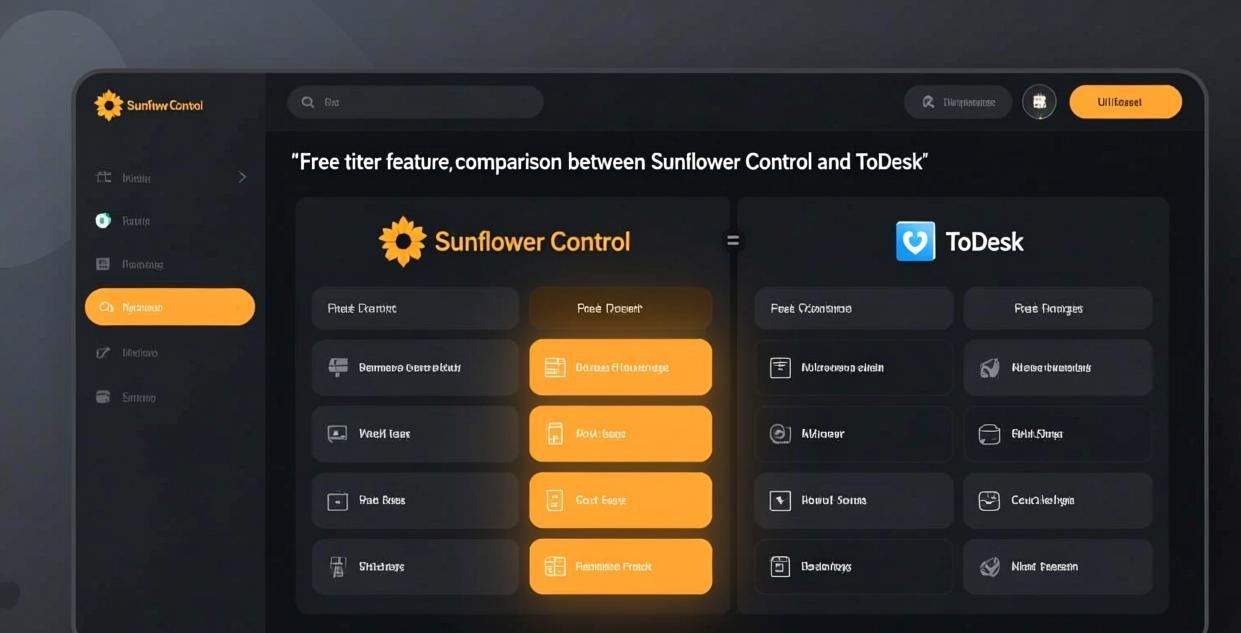
| Feature | Sunflower Control | ToDesk |
|---|---|---|
| Remote desktop control | ✅ | ✅ |
| File transfer | ✅ (200 KB/s free cap) | ✅ (no hard cap on free) |
| Unattended access | ✅ (paid only) | ✅ (free) |
| Multi-monitor support | ✅ | ✅ |
| Screen sharing | ✅ | ✅ |
| Remote printing | ✅ (Pro) | ❌ |
| Game AFK mode | ✅ | ✅ |
| Multi-device management | ✅ (advanced) | ✅ (basic) |
| Wake-on-LAN | ✅ | ✅ |
| Session recording | ❌ | ❌ |
| Mobile to mobile | ✅ | ✅ |
| Two-factor auth | ✅ | ✅ |
| Command-line interface | ✅ | ❌ |
| Batch deployment | ✅ (Enterprise) | ✅ (Enterprise) |
Where Sunflower Control Wins
- Mature infrastructure — 15+ years of development, fewer bugs and outages
- Multi-device management — Better tools for managing many remote PCs
- Remote printing — Available on Pro plan, not offered by ToDesk
- Command-line tools — Useful for automated scripts and batch operations
- Longer track record — More established company with proven reliability
- Advanced settings — More granular control over connection quality, encoding, and security
Where ToDesk Wins
- Free unattended access — No payment required for this essential feature
- Modern interface — Cleaner, more intuitive design
- No file transfer speed cap on free — Full-speed transfers without paying
- Easier setup — Simpler initial configuration process
- Lower resource usage — Lighter on system resources
Performance Comparison
Connection Speed Within China
Both tools have servers inside China, so latency within the country is excellent for both:
| Route | Sunflower Control | ToDesk | Difference |
|---|---|---|---|
| Shanghai → Beijing | 25ms | 28ms | Negligible |
| Shanghai → Guangzhou | 20ms | 22ms | Negligible |
| Beijing → Chengdu | 30ms | 32ms | Negligible |
| Guangzhou → Shenzhen | 12ms | 10ms | Negligible |
Within China, both tools deliver excellent performance with latency under 35ms between major cities. The difference is too small to notice in everyday use.
Peak Hour Performance
This is where the difference becomes noticeable:
| Time | Sunflower Control | ToDesk |
|---|---|---|
| Off-peak (midnight-8am) | Fast, stable | Fast, stable |
| Normal (8am-6pm) | Good | Good |
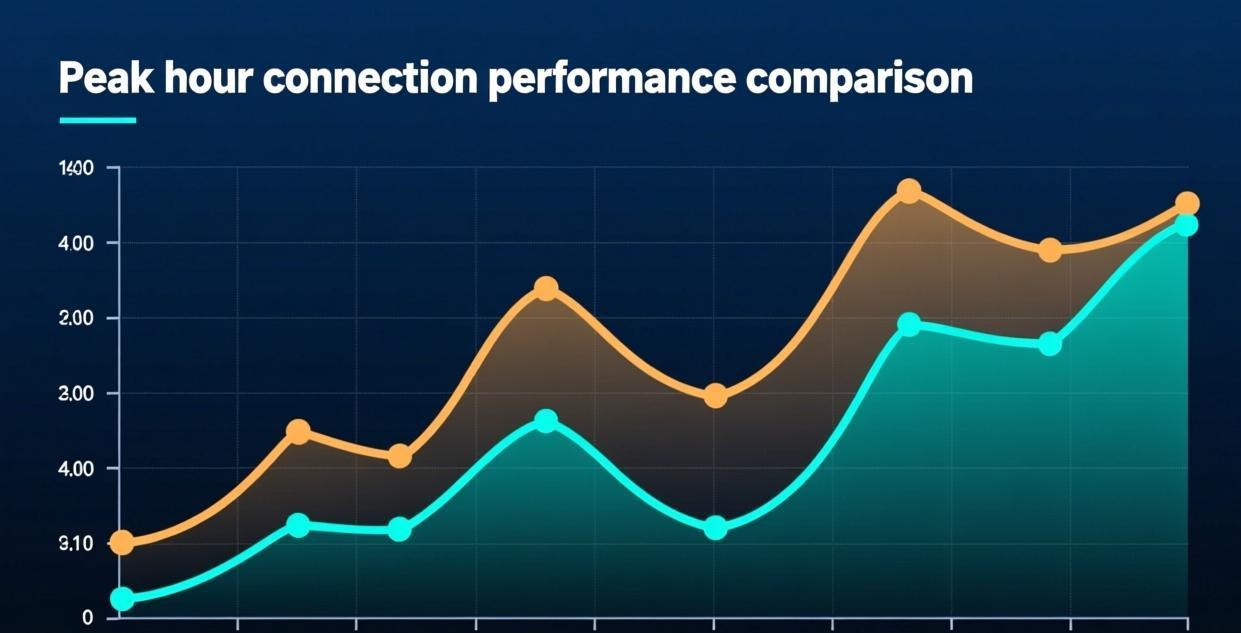
| Peak (6pm-11pm) | Good (mature network) | May have queue times on free tier |
ToDesk’s free tier sometimes has connection queues during peak evening hours because the free servers have limited capacity. Sunflower Control’s more mature infrastructure handles peak-hour traffic more consistently, even on the free tier.
File Transfer Speed
| Test | Sunflower (Free) | Sunflower (Paid) | ToDesk (Free) | ToDesk (Paid) |
|---|---|---|---|---|
| 100 MB file | ~8 min (200 KB/s cap) | ~12 seconds | ~30 seconds | ~10 seconds |
| 1 GB file | ~83 min (200 KB/s cap) | ~2 minutes | ~5 minutes | ~1.5 minutes |
Sunflower Control’s free tier is severely limited by the 200 KB/s speed cap, making file transfers of any significant size impractically slow — a 100 MB file takes over 8 minutes. ToDesk’s free tier has no hard speed cap but may be slower than paid connections during peak hours due to server load and prioritization of paid users.
For users who frequently transfer files between devices, this is a critical difference. On Sunflower Control’s free tier, file transfer is essentially unusable for anything larger than a few MB. ToDesk’s free tier, while not as fast as paid connections, at least allows reasonable file transfer speeds.
Reliability and Uptime
| Metric | Sunflower Control | ToDesk |
|---|---|---|
| Typical uptime | 99.5%+ | 99%+ |
| Major outages (past year) | 1-2 | 3-4 |
| Recovery speed | Fast (established infrastructure) | Usually fast, occasionally slow |
| Server capacity | Large (15+ years of scaling) | Growing, but less headroom |
Sunflower Control’s longer history means it has more server capacity and better redundancy across its infrastructure. ToDesk is growing rapidly but occasionally struggles with capacity during peak hours, especially for free users who are served from a smaller pool of servers.
Real-World Uptime Comparison
Based on community reports and monitoring over the past year:
- Sunflower Control: 1-2 brief outages (each under 1 hour), no data loss incidents, fast recovery due to redundant infrastructure
- ToDesk: 3-4 outages (ranging from 30 minutes to 3 hours), some connection issues during server maintenance windows, growing but less mature failover systems
For business-critical remote access where you need the connection to work every time, Sunflower Control’s more mature infrastructure provides greater peace of mind. For personal use where occasional downtime is tolerable, ToDesk’s uptime is acceptable.
I experienced ToDesk’s peak-hour limitations firsthand when trying to connect to my office PC during the 7pm rush — the free tier showed “waiting in queue” for about 2 minutes before connecting. Sunflower Control connected immediately during the same time period. If you frequently need to connect during peak hours, this reliability difference can be the deciding factor between the two tools.
Platform Support
| Platform | Sunflower Control | ToDesk |
|---|---|---|
| Windows | ✅ | ✅ |
| macOS | ✅ | ✅ |
| Android | ✅ | ✅ |
| iOS | ✅ | ✅ |
| Linux | ❌ | ❌ |
Neither tool supports Linux, which is a significant gap for developers and system administrators. If you need Linux remote access, you’ll need a different tool like AnyDesk or TeamViewer. Both Sunflower Control and ToDesk cover the same four major consumer platforms (Windows, macOS, Android, iOS), so there’s no platform advantage either way.
Mobile App Comparison
| Aspect | Sunflower Control | ToDesk |
|---|---|---|
| Touch controls | On-screen keyboard and mouse | On-screen keyboard and mouse |
| Multi-monitor | Tab-based switching | Swipe-based switching |
| File transfer | File manager interface | File manager interface |
| Battery usage | Moderate | Slightly lower (lighter app) |
| App size | ~50 MB | ~30 MB |
| App rating | 4.2/5 | 4.4/5 |
ToDesk’s mobile apps are slightly lighter and more streamlined, which can make a small but noticeable difference on older phones with limited storage and battery life.
Security Comparison
| Security Feature | Sunflower Control | ToDesk |
|---|---|---|
| Encryption | AES-256 | AES-256 |
| Two-factor auth | ✅ | ✅ |
| Access password | ✅ | ✅ |
| IP whitelisting | ✅ | ❌ |
| Session logging | ✅ | Basic |
| Security audits | Some | Limited |
| Track record | 15+ years, no major breaches | 5+ years, no major breaches |
Sunflower Control has a slight security edge due to IP whitelisting, more detailed session logging, and a longer track record without major security incidents. ToDesk’s security is adequate for most users but lacks some of the more advanced security controls that businesses may require.
Data Storage and Privacy
| Factor | Sunflower Control | ToDesk |
|---|---|---|
| Data center location | China | China |
| Data retention | Connection logs for 90 days | Connection logs retained |
| Third-party audits | Some | Limited |
| Privacy policy | Available | Available |
| Account deletion | Supported | Supported |
Both tools store data on servers within China, which means both are subject to Chinese data protection regulations. If you have specific data residency or privacy requirements, review both companies’ privacy policies carefully.
Long-Term Considerations
Company Stability
- Oray (Sunflower Control): Established in 2009, profitable, diversified product line beyond remote access. The company is stable and likely to continue supporting Sunflower Control long-term.
- AnyFluent (ToDesk): Newer company, focused primarily on ToDesk. Growing rapidly but less established. The aggressive free tier strategy suggests they’re prioritizing user growth over short-term profitability.
Product Roadmap
- Sunflower Control: Incremental improvements, stability focus, enterprise features being added gradually
- ToDesk: Rapid feature development, modern interface improvements, expanding platform support
If you’re choosing a tool for long-term business use, Sunflower Control’s established track record provides more certainty. If you’re choosing for personal use and want the latest features, ToDesk’s faster development cycle may be appealing.
User Interface Comparison
Sunflower Control Interface
- Device list — Shows all registered devices with online/offline status
- Connection settings — Granular quality, resolution, and encoding options
- File manager — Dual-pane interface with drag-and-drop support
- Settings depth — Many advanced options for power users
ToDesk Interface
- Device list — Cleaner, card-based layout with connection history
- Connection settings — Simpler quality presets with fewer manual options
- File manager — Clean, modern interface with intuitive controls
- Settings depth — Streamlined, fewer options but easier to navigate
ToDesk’s interface is more modern and approachable, especially for less technical users who just want to connect quickly without navigating through many settings. Sunflower Control’s interface has more depth and customization options, which power users appreciate but can be overwhelming for beginners.
Customer Support Comparison
| Support Type | Sunflower Control | ToDesk |
|---|---|---|
| Free tier support | Community forums, knowledge base | Community forums, WeChat group |
| Paid tier support | Email + live chat (Pro) | Email + live chat (Professional) |
| Support language | Chinese, English | Chinese |
| Response time (paid) | 24-48 hours | 24-48 hours |
| Knowledge base quality | Good (Chinese and English) | Good (Chinese) |
Both tools offer comparable customer support for Chinese-speaking users. Sunflower Control has a slight edge for English speakers due to its English-language documentation. ToDesk’s WeChat support group provides a more community-driven support experience that some users prefer over formal email support.
Which One Should You Start With?
If you’re new to remote access and don’t want to spend money, start with ToDesk — its free unattended access and unlimited file transfer speed make it the most generous free option among Chinese remote access tools. You can always switch to Sunflower Control later if you need more advanced features or better peak-hour reliability.
If you’re setting up remote access for a business or need to manage multiple devices, start with Sunflower Control — its mature infrastructure, advanced management tools, and consistent reliability make it the safer choice for professional use.
Switching Between Tools
If you want to try the other tool, here’s how to switch:
From ToDesk to Sunflower Control
- Install Sunflower Control on all devices
- Create an account and add your devices
- Set up access passwords on each device
- Test all connections before removing ToDesk
- Keep ToDesk as backup for 1-2 weeks
- Uninstall ToDesk once you’re satisfied
From Sunflower Control to ToDesk
- Download ToDesk from the official website
- Create a ToDesk account
- Install on all devices and configure unattended access (free)
- Test connections thoroughly
- Keep Sunflower Control as backup initially
- Uninstall once ToDesk meets all your needs
What to Read Next
Choose Sunflower Control If:
- You need reliable connections during peak hours without queue times or session limits
- You manage 5+ remote devices and need advanced management tools like grouping and tagging
- You need remote printing capability to print documents on a remote printer
- You want a more mature, battle-tested platform with 15+ years of reliability
- You use command-line tools or automation scripts for remote access operations
- You need IP whitelisting or detailed session logging for security compliance
- You’re setting up remote access for a business and need guaranteed uptime
Choose ToDesk If:
- You want free unattended access without paying for a subscription
- You prefer a modern, clean interface with intuitive design
- You only have 1-3 devices to manage and don’t need advanced management features
- You need fast file transfers on the free tier without the 200 KB/s speed cap
- You’re a casual user who doesn’t need advanced features or granular settings
- You value simplicity over depth of features and customization options
- You’re trying remote access for the first time and want the lowest barrier to entry
Cost Comparison Over Time
3-Year Total Cost: Personal User (2 devices)
| Item | Sunflower Control (Basic) | ToDesk (Free) | ToDesk (Professional) |
|---|---|---|---|
| Monthly cost | ~$3 | $0 | ~$3 |
| 3-year total | ~$108 | $0 | ~$108 |
| Unattended access | ✅ | ✅ | ✅ |
| File transfer speed | Unlimited | Variable (no cap) | Unlimited |
| Ads | No | Yes | No |
| Peak-hour priority | Yes | No | Yes |
3-Year Total Cost: Business User (10 devices)
| Item | Sunflower Control (2× Pro) | ToDesk (Enterprise) |
|---|---|---|
| Monthly cost | ~$12 | Custom pricing |
| 3-year total | ~$432 | Varies (typically higher) |
| Advanced management | ✅ | ✅ |
| IP whitelisting | ✅ | ❌ |
| Session logging | ✅ | Basic |
For personal users on a tight budget, ToDesk’s free tier is the clear winner. For business users who need reliability and advanced features, Sunflower Control typically offers better value despite the cost.
What to Read Next
- Sunflower Control vs TeamViewer → TeamViewer comparison
- Sunflower Control vs AnyDesk → AnyDesk comparison
- Free vs Paid Sunflower Control → Plan comparison
- Download Sunflower Control → Windows | Mac | Android | iOS
This comparison was written based on Sunflower Control and ToDesk 2026 versions. Features and pricing may change. This site is an independent information resource and is not affiliated with Oray, Sunflower, AnyFluent, or ToDesk.
Disclaimer: This is an independent guide and comparison site. We are not associated with Oray, Sunflower, AnyFluent, ToDesk, or any other remote control software company. All trademarks belong to their respective owners. This site provides links to official sources only for your safety and convenience.