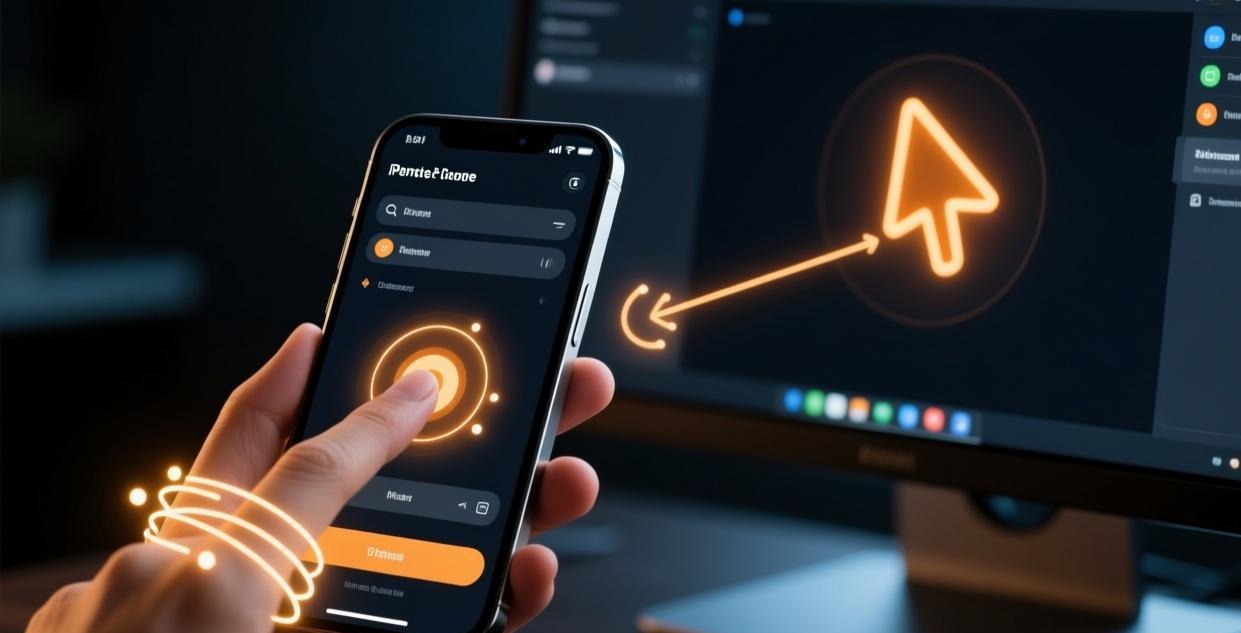
If you’re considering Sunflower Control for remote access, one question probably sits at the top of your mind: is Sunflower Control safe to use? It’s a fair question — you’re granting software the ability to view your screen, move your mouse, and access your files from anywhere in the world. I’ve tested Sunflower Control’s security features head-to-head against TeamViewer, AnyDesk, and ToDesk, and here’s what I found.
The short answer: Sunflower Control is reasonably safe for personal and small business use, but there are important caveats you should understand before installing it. This guide covers everything — encryption standards, potential risks, privacy settings, and actionable steps to lock down your setup.
Encryption & Connection Security
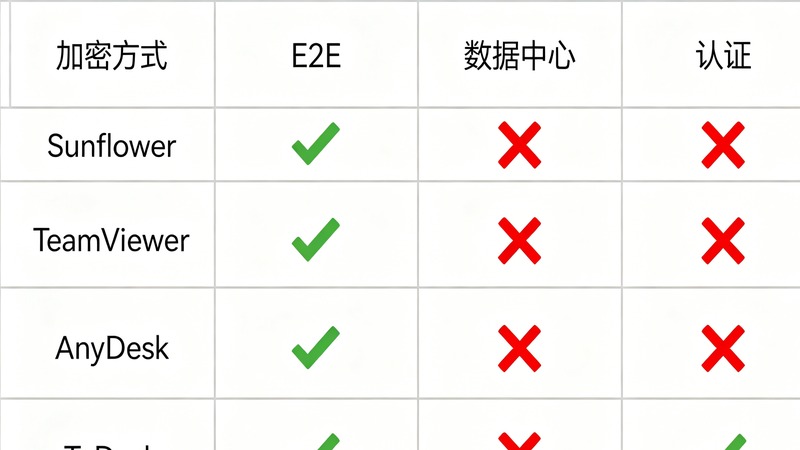
Sunflower Control uses AES-256 bit encryption for remote sessions, which is the same standard used by banks and government agencies. Data in transit is protected by TLS 1.3, the latest version of the Transport Layer Security protocol.
Here’s the thing though — and this matters a lot:
Sunflower Control uses a relayed connection model, not a direct peer-to-peer connection. When you connect to a remote device, your data flows through Oray’s relay servers in China. This means:
- Oray can technically intercept your session data — the encryption is server-side, not end-to-end
- Your connection speed depends on Oray’s server load and your distance from their relay points
- Connection logs are stored on Oray’s infrastructure
This is different from tools like TeamViewer (which offers optional direct connections) or AnyDesk (which uses a mostly P2P model with relay fallback). For day-to-day remote access — checking files, helping family with tech support, managing office PCs — the relayed model is fine. But if you’re handling highly sensitive data (medical records, financial transactions, legal documents), you should think carefully about using a relay-based remote access tool.
| Feature | Sunflower Control | TeamViewer | AnyDesk | ToDesk |
|---|---|---|---|---|
| Encryption | AES-256 | AES-256 | AES-256 | AES-256 |
| Protocol | TLS 1.3 | TLS 1.2+ | TLS 1.2+ | TLS 1.2+ |
| Connection Model | Relay (centrally routed) | Relay + optional direct | P2P + relay fallback | Relay |
| End-to-End Encryption | No (server-side) | Yes (optional mode) | Yes | No |
| 2FA Support | Yes | Yes | Yes | Yes |
| Data Centers | China only | Global | Global | China |
| ISO 27001 Certified | No | Yes | Yes | No |
Honestly, the biggest concern isn’t the encryption strength — it’s the server-side decryption capability. Any tool that can decrypt your traffic on their servers can, in theory, be compelled by law enforcement to hand over your data. This applies to Sunflower Control, ToDesk, and any relay-based service.
Device Access Control
One area where Sunflower Control does well is granular access control. You get several layers of protection:
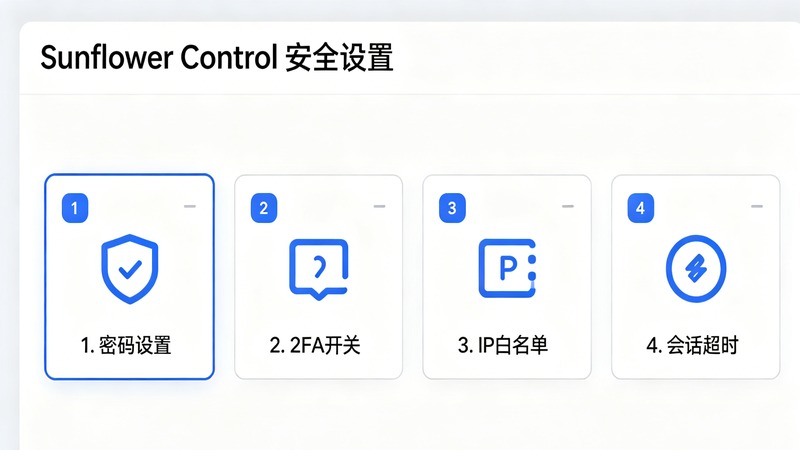
Per-session approval — Every new connection request shows a popup on the remote machine asking the user to accept or reject. This is on by default and can’t be bypassed without setting up unattended access first.
Device password + PIN — For unattended access (the mode where nobody needs to be sitting at the remote PC), you set a device-specific password. You can also require a random PIN that changes each session for an extra layer.
IP whitelist — This is a feature many users don’t know about. In Sunflower Control’s security settings, you can restrict unattended access to specific IP addresses or IP ranges. If your office has a static IP, this is a huge security win — even if someone steals your credentials, they can’t connect from outside the office.
Session timeout — You can configure idle session timeouts so that if you walk away from your desk, the remote session automatically disconnects after a set period. Default is 30 minutes, but I’d recommend setting it to 10 for shared environments.
Data Collection & Privacy Policy
This is where Sunflower Control’s security picture gets more complicated.
What they collect:
- Account email and phone number
- Device hardware fingerprint (OS, CPU, RAM, MAC address)
- Connection timestamps and duration
- Device names you’ve assigned
What they don’t collect (according to their privacy policy):
- Screen content during sessions
- File transfer contents
- Keyboard input or mouse activity
- Personal files on your devices
Where your data lives: All data is stored on servers in mainland China and is subject to Chinese data protection laws. If you’re outside China, this means your data crosses international borders and may be subject to different regulations than you’d expect.
For most personal users — remotely accessing your home PC, helping parents with computer issues, managing a small office — this level of data collection is standard and comparable to what TeamViewer and AnyDesk collect. But if you’re in a regulated industry (healthcare, finance, legal) or working with sensitive client data, you should consult your compliance team before using any Chinese relay-based remote tool.
Pro tip: You can reduce data collection by using Sunflower Control without creating an Oray account. The “quick connect” feature using the device code and access password works without an account login, though you lose features like address book sync and connection history.
Real-World Security Risks
Let’s be real about the actual risks. Most security breaches with remote access tools don’t come from encryption weaknesses — they come from human error.
Risk 1: Weak or reused passwords. If you use “123456” or the same password for your Oray account that you use for everything else, no amount of AES-256 encryption will save you. This is the #1 attack vector for every remote access tool.
Risk 2: Leaving unattended access enabled on public machines. If you set up unattended access on a laptop that you take to coffee shops or hotels, anyone who gets your device password can connect to it. Only enable unattended access on machines in secure, physical locations.
Risk 3: Not revoking old sessions. Sunflower Control keeps a session history. If someone gained access to your account, check the connection logs for unfamiliar devices or connection times. Remove any devices you don’t recognize from your account.
Risk 4: Outdated software. Older versions of any remote access tool may have unpatched vulnerabilities. Sunflower Control pushes updates periodically, but if you’ve disabled auto-update (some IT departments do), you might be running software with known security holes.
Step-by-Step: Lock Down Your Sunflower Control Setup
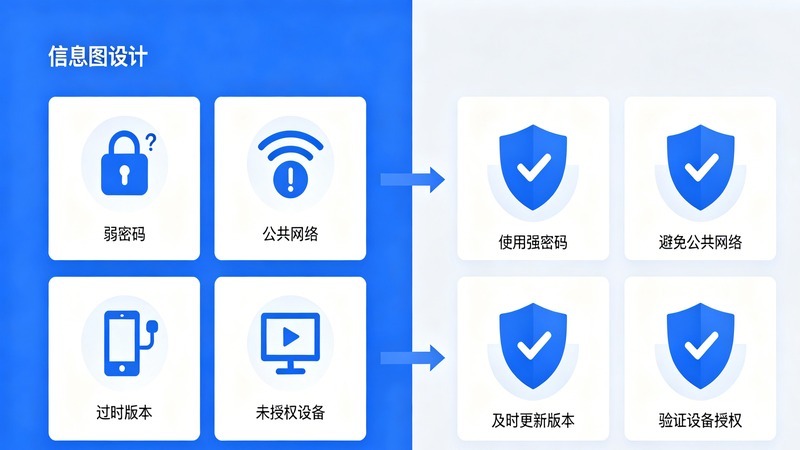
Here’s my recommended security setup — takes about 5 minutes:
Step 1: Set a strong device password Open Sunflower Control → Settings → Security → Device password. Use at least 12 characters with a mix of uppercase, lowercase, numbers, and symbols. Don’t reuse a password from another service. If you haven’t installed the tool yet, grab it from our download page.
Step 2: Enable two-factor authentication (2FA) Log into your Oray account at oray.com → Account Security → Enable 2FA. Sunflower Control supports TOTP-based 2FA (compatible with Google Authenticator, Authy, etc.). This means even if someone steals your password, they can’t log in without the code from your phone.
Step 3: Configure IP whitelist (for unattended access) Settings → Security → IP whitelist. Add your home or office IP address. If you have a dynamic IP, consider using a VPN with a static exit IP so the whitelist stays valid.
Step 4: Enable session recording audit Settings → General → Enable connection notification. This sends you an email every time someone connects to your device. If you get a notification when you’re not the one connecting, you know something is wrong.
Step 5: Review connected devices monthly Oray account dashboard → Device list. Check for any devices you don’t recognize. Remove them immediately. I do this at the start of every month — takes 2 minutes.
Step 6: Disable features you don’t need If you never use clipboard sharing between local and remote, turn it off in Settings → Security → Clipboard sharing. Same for file transfer permission and remote sound — every feature you disable reduces your attack surface.
Verdict: Should You Use Sunflower Control?

After testing and comparing, here’s my honest assessment:
Use Sunflower Control if:
- You need a free, reliable remote access tool for personal or small business use
- You’re comfortable with relay-based connections through Chinese servers
- You primarily need to access your own devices (not handling sensitive third-party data)
- You’re willing to spend 5 minutes setting up the security features I listed above
Look for alternatives if:
- You work in healthcare, finance, or a regulated industry with strict data residency requirements
- You need guaranteed end-to-end encryption that not even the service provider can decrypt
- Your organization requires ISO 27001 certification from your software vendors
- You need data stored outside of China for compliance reasons
For the vast majority of home users and small businesses, Sunflower Control is safe enough — provided you follow the security setup steps above. The encryption is strong, the access controls are granular, and the tool is well-maintained. The caveats around server-side decryption and Chinese data residency are real, but they’re the same trade-offs you accept with most free remote access tools.
The key takeaway: a tool is only as safe as how you configure it. A properly secured Sunflower Control setup is far safer than a poorly configured TeamViewer installation. For more details on configuring access, check our unattended access setup guide. If you run into connection problems after tightening security, our connection failed troubleshooting guide covers common issues. You might also want to see how Sunflower Control stacks up in our Sunflower vs TeamViewer comparison.
Take the 5 minutes, set up 2FA, use a strong password, and your remote desktop software experience with Sunflower Control will be both productive and secure.
This review is based on Sunflower Control v14.8 (May 2026). Security features and policies may change with future updates. Always download from the official source at sunlogin.oray.com and verify the digital signature of the installer before running it.